
Learn Online Today
Enrol in a Financial Modelling course, and start your online training right away. Learn wherever and whenever it suits you!

Our Online Training Courses
Financial Modelling for Non Financial Modellers
For those either new to Financial Modelling, or with limited knowledge of Excel.
Best Practice Financial Modelling in Excel (Intermediate)
Suitable for those already performing some Financial Modelling, and/or who use Excel on a semi-regular basis
Practical Financial Modelling in Excel (Advanced)
If you have completed our other courses, or have significant experience with Excel and Financial Modelling, this course will take your skills to the level.
Bundle all 3 courses and save
Choose to get a copy of the books “Using Excel for Business and Financial Modelling” and
“Financial Modeling in Excel for Dummies” by Danielle Stein Fairhurst
Prepare for the FMI Exam
FMI Level 1 – Exam Preparation + Mock Exam
Prepare for the Level 1 “Advanced Financial Modeler” (AFM) certification exam with this intensive online exam prep course from FMI approved training provider, Plum Solutions
FMI Level 1 AFM Mock Exam (Virtual sitting)
In the lead up to the virtual exam, a live, online mock exam under simulated proctored virtual exam conditions, and you’ll receive individualised feedback on your performance.
Our Online and Live Training Courses
Dashboard Reporting in Modern Excel
Using new Modern Excel tools, learn how to synthesise information into a logical framework, summarise it into a meaningful format, and then display the summary into easy-to-read tables and graphs using Excel or Power BI.
Budgeting and Forecasting in Excel
It’s never been more important to build robust, flexible and dynamic budget models to accurately predict business outcomes and handle the volatile economic inputs likely to emerge in these uncertain times.
How the online courses work
Each of these courses replace a full 9-5 day in the classroom. You will watch and listen to web-based videos, and fill in online review quiz questions throughout the course. You will be expected to perform some Excel exercises and build your own financial modelling case study, which may need to be submitted for review.
Depending how long it takes to perform the exercises and model build, the courses normally take around 6-7 hours to complete. Your registration is valid for 12 months, so you do not need to do it all at once; stop and start the course as you like. You can do it all straight away, or watch one video per day for a few weeks – it’s entirely up to you! Of course you can pause, rewind, and rewatch any of the videos as many times as you like during your 12 month access period.
The courses are each made up of 4-5 modules. When you sign up, you’ll log in and get access to the modules.
Each module contains:
- 4-6 Videos. Each course contains around 3-5 hours of video content and contain a combination of talking to camera, live classrooms and screenshot instruction in Excel.
- Sample models and exercises, some of which you need to submit during the course.
- As well as the videos and Excel files, most modules contain PDFs, reading links and quiz questions.
- 12 months access to the Excel Modelling Support Centre.
- A certificate of completion on successful submission of case study
You must have:
- Access to high-speed internet
- Any version of Microsoft Excel installed on your computer
- The ability to commit to 8-16 hours of instruction over a 12 month period

Frequently Asked Questions
Do I need to install any special software to take the course?
No, you'll be able to access the videos, quizzes and review questions with your web browser. We do recommend having the latest browser update installed. You'll need to view some PDFs so you'll need a PDF Reader, and you'll need Excel installed, of course (any version).
Can I watch the videos on my phone?
Yes. The videos are accessible via the browser so you may log in with your username and password from your desktop, laptop, tablet or phone and watch the videos. You will probably find it easier to complete the course on your computer which has Excel installed.
What are the prerequisites for taking this course?
It is assumed that participants have prior Excel knowledge. If you would like to brush up on your Excel skills, there are a lot of courses available on Microsoft Learn.
Do you need to have a copy of the books to do these courses?
Whilst the book Using Excel for Business and Financial Modelling or Financial Modeling in Excel for Dummies by our presenter, Danielle Stein Fairhurst, is a great accompaniment to the online courses, it is not required. All the materials that you need to complete the course are included in the PDFs that you download at the beginning of each module. However, you can purchase a copy of the book separately, or if you're based in Australia and sign up for the Financial Modelling Bundle you get a copy included!
Can I the Ebook as well?
These books are purchased through publisher, Wiley Finance. Wiley Finance has placed copyright restrictions on the ebooks including printing and sharing which means that you can only view and read the books via a device.
Does it matter which version of Excel I am using?
No. The demonstrations in the course are performed using a mixture of version and it doesn't matter which version you are using, or if you are using a previous version of Excel.
How do I tell which version of Excel I am using?
See this blog article for some screenshots of how different versions of Excel look.
What's the fine print?
The course fee must be paid prior to receiving course materials. Once materials have been accessed, your course fee cannot be refunded. If you do not wish to pay by credit card, an invoice can be emailed to you and payment can be made alternatively by direct bank transfer or cheque (see next question below for details).
We reserve the right to cancel or terminate a course or to refuse any enrolment as permitted by law.
The course materials are designed for individual student use. They are the intellectual property of Plum Solutions and they cannot be copied, distributed or reproduced in any way except with the written permission of Plum Solutions.
Please see the terms and conditions page for full details.
When can I start?
You can start straight away. If you register and pay, you'll get access to the course materials immediately!
How do I access the course materials?
Once you have purchased the course you'll be emailed instructions to login and get started. You can also login using the student login link at the top of the website. The instructions are also included on the Student Dashboard.
How long do I get to do the course?
Your login will give you access to the course for twelve months. At the end of this period, you will not be able to access your materials. If you do not get time to finish the course during this time, please contact us to extend your course access.
How long does it take to do the course?
These courses are in place a full day 9-5 workshop, so you should expect to put about 7 hours into it. The pace of the videos is much faster than a live workshop, so theoretically, you should get through the content in a online course faster than in a workshop.
Do I have to listen to all the videos?
Whilst it is recommended that you watch every video in full, you can skip and fast-forward the videos if you like (see below). The content of each video is explained clearly, most are 5-10 minutes in length and none of them are longer than 30 minutes. If, for example, you are an absolute whiz on LOOKUPs you could skip that video and move on to the next one. You will still need to complete the quiz on that section, and will be expected to perform a LOOKUP in the exercise models.
NOTE: If you wish to skip forward, simply fast-forward the video to the end and then click the "mark as complete" button to move to the next section.
Do I get a certificate at the end?
Yes, you will get a PDF version of your certificate of completion, which contains your name and the date. This will be emailed to you when you have passed the quiz review questions and submitted your model for review.
Do I have to do the quiz questions?
If you want to get the certificate, then yes you will need to achieve a pass rate of 75% on the quizzes, and submit your model/s at the end of the course. Some people just want to listen to the videos for their own personal development and don't need the certificate, and that's fine too. (Just let us know though that you're not planning to submit the model or do the quizzes and we won't bug you about finishing them!)
I'm not based in Australia. Can I still do the course?
Yes, the course is open to everyone! You'll have to listen to an Aussie accent of course, and some of the examples are based on Australian companies but we run these courses as workshops all over the world and the concepts and principles of best practice of financial modelling remain the same the world over.
Do the courses include case studies? Do you get to build your own models?
Yes, for each of the courses you are required to build your own financial model, and these models need to be submitted at the end of each course. You are provided with a blank template at the beginning of the course, and you need to fill in all the formulas and get it working yourself. You'll be guided on the process by the videos as we work through it step by step, and the PDF notes also provide guidance on what each formula should look like as well.
The case studies for each course are:
• Financial Modelling for Non Financial Modellers Covers the fundamental concepts of building a financial cashflow model using Excel, including charts and basic scenario analysis.
• Financial Modelling in Excel (Intermediate)
Build your own business case model from start to finish with NPV, IRR & Payback with dynamic charts and scenarios
• Advanced Financial Modelling in Excel
Take your skills to the next level and build a funding model with financial statements; P&L, Cashflow & Balance Sheet. Learn advanced scenario and sensitivity analysis using Data Tables.
Can I download the content?
You can print and save the PDF notes and the Excel models for your own reference but the videos are not downloadable, and access is valid for 1 year. At this stage we do not have an option to download the videos but for those which have PDF transcripts available, you can save and keep those.
What are the qualifications of the presenter?
All of the online training is guided by Sydney-based Financial Modelling specialist, Danielle Stein Fairhurst, MBA, Microsoft MVP and Master Financial Modeler with the FMI. She has been a financial modeller since 1999 and runs regular training seminars in Australia, Asia and the Middle East, is the author of several books on financial modelling. and the Principal Consultant of Plum Solutions.
After I've finished the course, can I watch the videos again?
Yes, you will have access to all the course materials for 12 months from the time that you signed up. In order to progress through the course, you will need to make sure that each video is marked 'Complete' before moving forward.
You must watch each video. You can skip the video by fast forwarding (clicking at the end of the video) to be able to mark the video complete.
You will be able to review previous videos once you have marked the video complete.
Can I claim Continuous Professional Development (CPD)?
Most professional bodies will allow you to claim CPD. We have some further information about claiming CPD points/hours here: https://plumsolutions.com.au/cpd.
We do recommend getting in touch with your professional organisation to check how many hours will convert to points
Choose Your Course
-

FMI Level 1 AFM Mock Exam (Virtual sitting)
$275.00 ex GST -
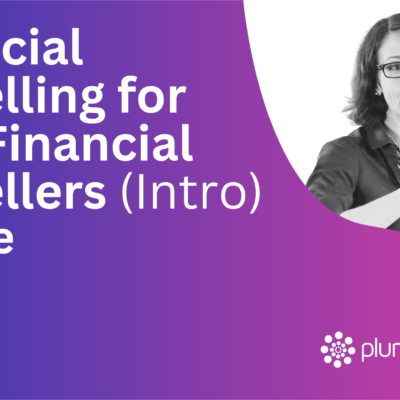
Financial Modelling for Non Financial Modellers (Online & On-demand)
$240.00 ex GST -

Intermediate Financial Modelling in Excel (Online & On-Demand)
$240.00 ex GST -

Advanced Financial Modelling in Excel (Online & On-demand)
$240.00 ex GST -

FMI Level 1 – Exam Preparation (Online Course)
$1,280.00 ex GST